Finger Soccer
Drag, flick, score. A quick football duel for two players on one device.
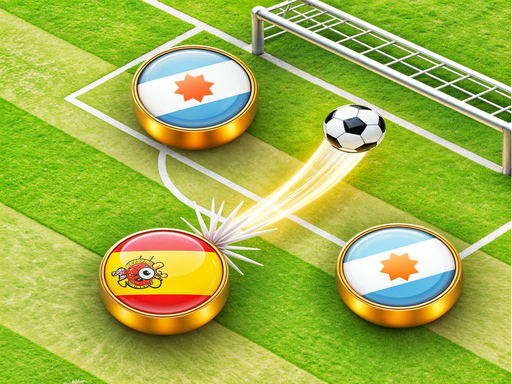
Mouse or touch. 1 or 2 players.
Loading Finger Soccer for two players…
More 2 player games

What is Finger Soccer?
Finger Soccer is a 2D football game played with drag-and-flick controls. Instead of steering a player with keys, you pull back, aim and flick to pass and shoot, and the ball physics do the rest.
That makes it an easy 2 player soccer game to set up: two players share one screen and the same mouse or touch screen, so there is no keyboard to split and nobody has to learn a key layout. If you can drag a finger, you can play.
You can play against a friend in 2 player mode on the same device, or go solo through tournaments, World Cup and Career modes, penalty shootouts and a few crazy extra modes. You can also customise your players.
How to play Finger Soccer
Press and drag on your piece to aim, then let go to flick it. The further you drag, the harder the shot. On a computer you use the mouse; on a phone or tablet you use your finger.
In 2 player mode you share the same screen, so it works especially well on a tablet laid flat between two people. Aim for the corners: straight shots at the middle of the goal are the easiest to block.
Finger Soccer vs Volley Clash and Drunk Basket
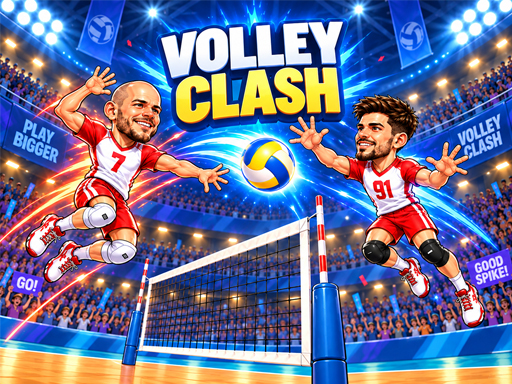
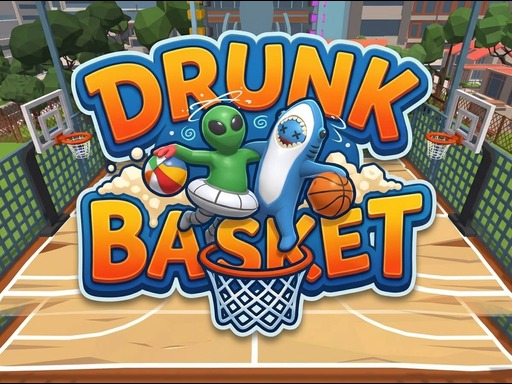
The three sports games on this site feel very different with a friend. Volley Clash is fast keyboard action: both players move, jump and spike at the same time, and reactions decide the point. Drunk Basket is one key per player and a lot of wobbly luck. Finger Soccer sits in between: it is calm and precise, and a good shot comes from reading the angle and judging how far to drag, not from fast fingers.
That makes Finger Soccer the best of the three for players who do not usually play video games, and the best for a phone or tablet. If your friend prefers quick reflexes, try Volley Clash next; if you want pure thinking, try Dama Stars.
Playing Finger Soccer with two people
On a tablet, lay it flat on a table between you so each player can reach their side of the pitch. On a phone, hold it between you or pass it across. On a computer, the two players share one mouse, which works well because nobody needs their own keys.
Before the first match, agree on a quick rule for close calls and rematches, then use the Fullscreen button so both players see the whole pitch. A short match is a good warm-up before trying a tournament on your own.
Finger Soccer FAQ
Is Finger Soccer a 2 player soccer game?
Yes. Finger Soccer is a 2 player soccer game with a local 2 player mode on one device, plus single player tournaments, World Cup, Career and penalty modes.
Can two people play Finger Soccer on one device?
Yes. Both players share the same screen, on a computer with the mouse or on a phone or tablet by touch, which makes it an easy 2 player soccer game for one device.
How do you shoot in Finger Soccer?
Drag back to aim and release to flick. A longer drag gives a harder shot.
Which modes are there?
Single player, 2 player, tournaments, World Cup and Career modes, penalty shootouts and some extra fun modes.
Does Finger Soccer work on phones?
Yes. The drag-and-flick controls work with a finger on touch screens.